
Overview
The goal of the project is to develop the invoicing service of a leading FinTech company, which helps over 70,000 small businesses in the UK and Ireland easily and securely accept payments. The service integrates with the main platform and is available on computers, tablets, and mobile devices.
Outcome
Product development
Approved screens
PDF templates
Months
The project delivered invoicing features with multi-channel invoice creation and PDF template generation, improving efficiency, expanding payment options, and strengthening customer loyalty.
Role
Grigore worked as the UX/UI Designer, responsible for applying established design principles to ensure a consistent user experience across the invoicing solution. He took charge of digital product design, and expanded his responsibilities to encompass PDF/print invoice design.
Process
Aligned the UX design process with with Dual-track Agile
Defined user needs and business goals
Conducted research and analysis
Created user flows
Designed lo- and hi-fidelity wireframes
Collaborated with developers to address technical constraints and ensure feasible implementation
Handed off designs to development and provided design QA
Designed PDF invoice templates
01. Dual-track Agile
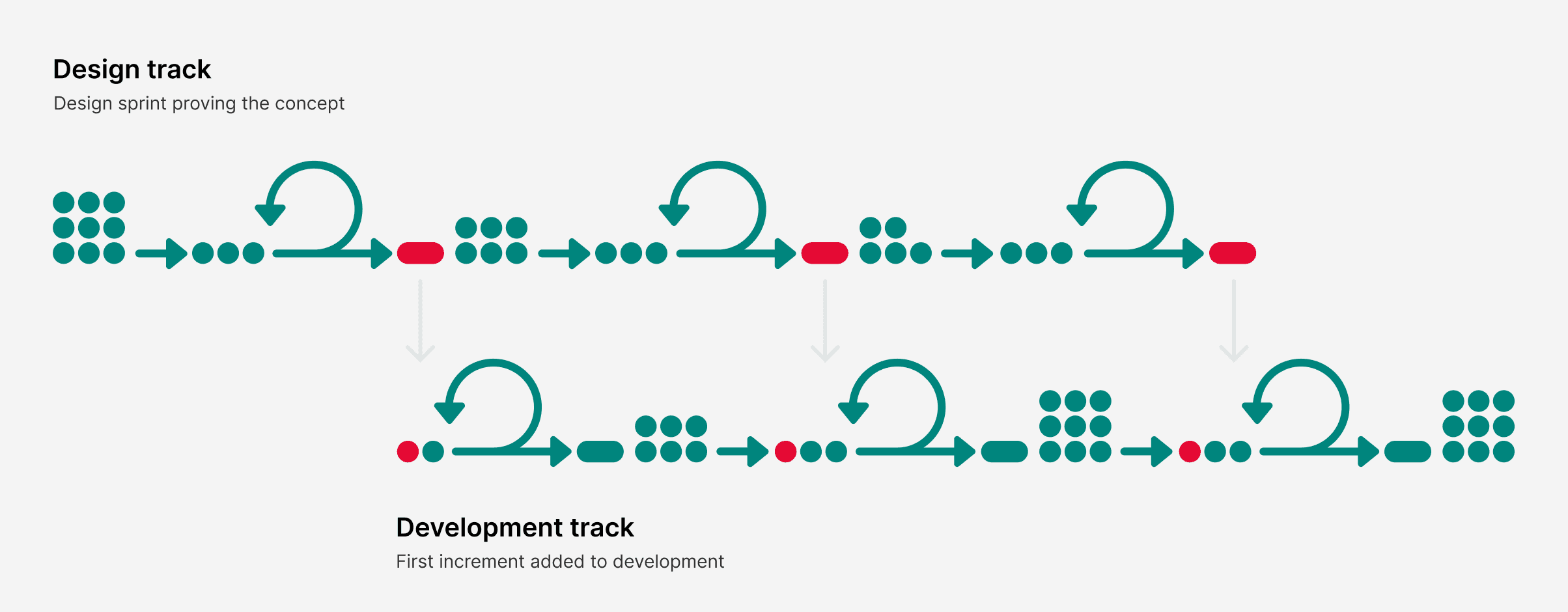
The UX design process aligns with Dual-Track Agile, allowing simultaneous progress in design and development. Specifically focusing on the UX perspective, the emphasis is on advancing through the wireframing phase one sprint ahead of active development. This proactive strategy enables early visualization and iterative refinement of design concepts, enhancing overall project efficiency.
In the rest, the design process followed the double diamond concept, moving through the stages of discovery, define, develop and deliver.
02. Discovery & analysis
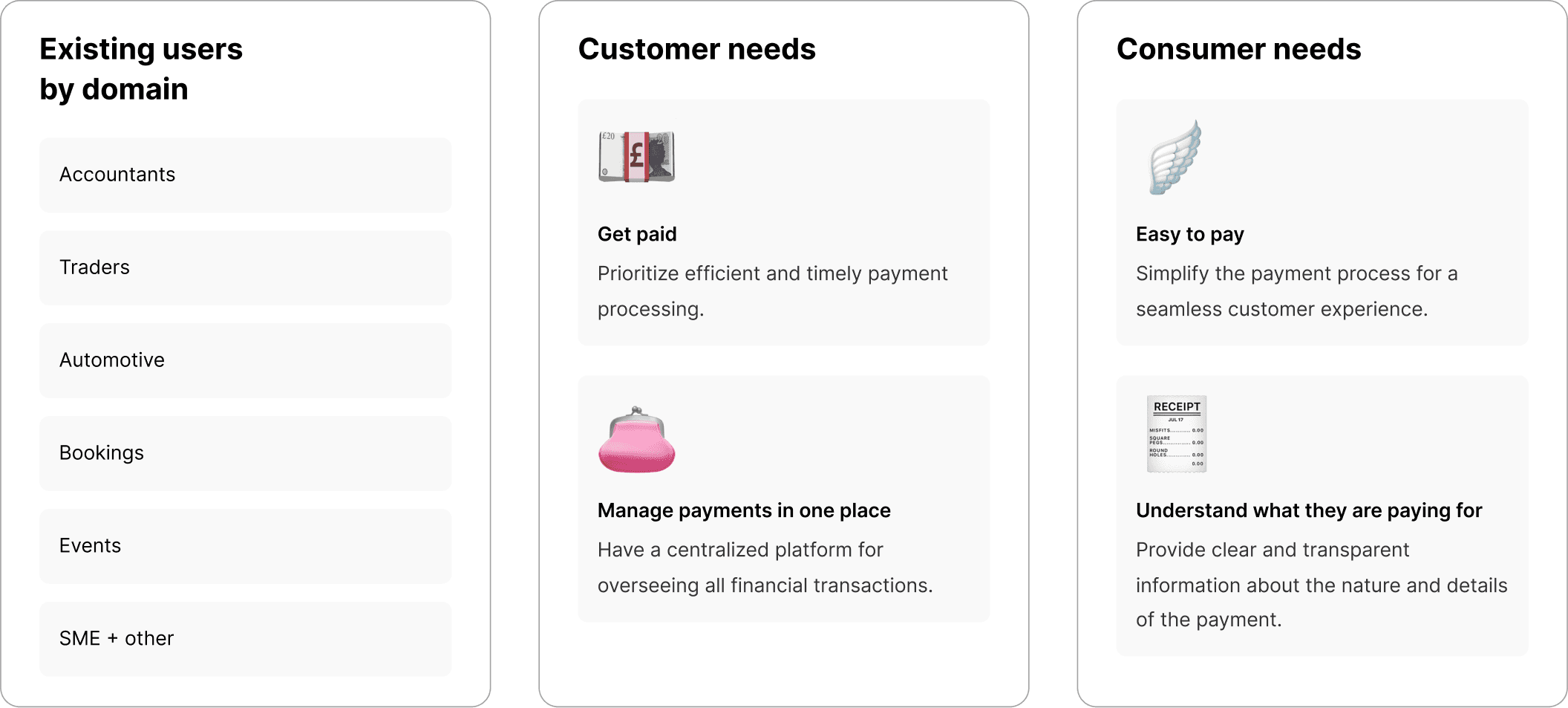
After initial discussions with stakeholders, a thorough understanding of the target audience was achieved.
03. User flows
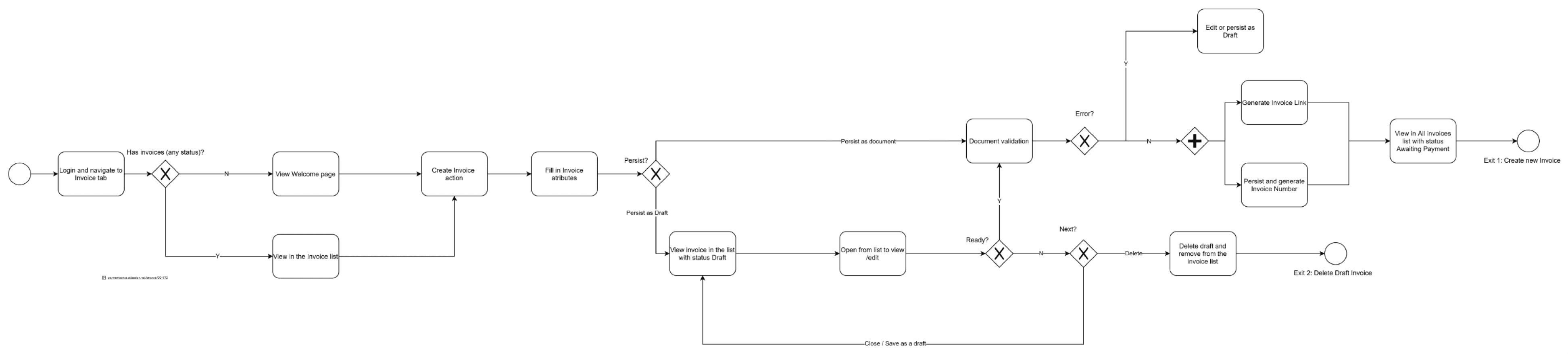
Based on the needs of both customers and consumers, as well as considering technical constraints, the user flow was established, starting with authorization and progressing to the main invoices page.
04. Lo-fi wireframes
Parallel analysis of the main competitors and analogues was conducted.





Lo-fi wireframes were crafted using the Whimsical app to visualize the high-level process. This choice of utilizing Whimsical aligned seamlessly with the client's preference, as his team is accustomed to creating all sketches within this platform.
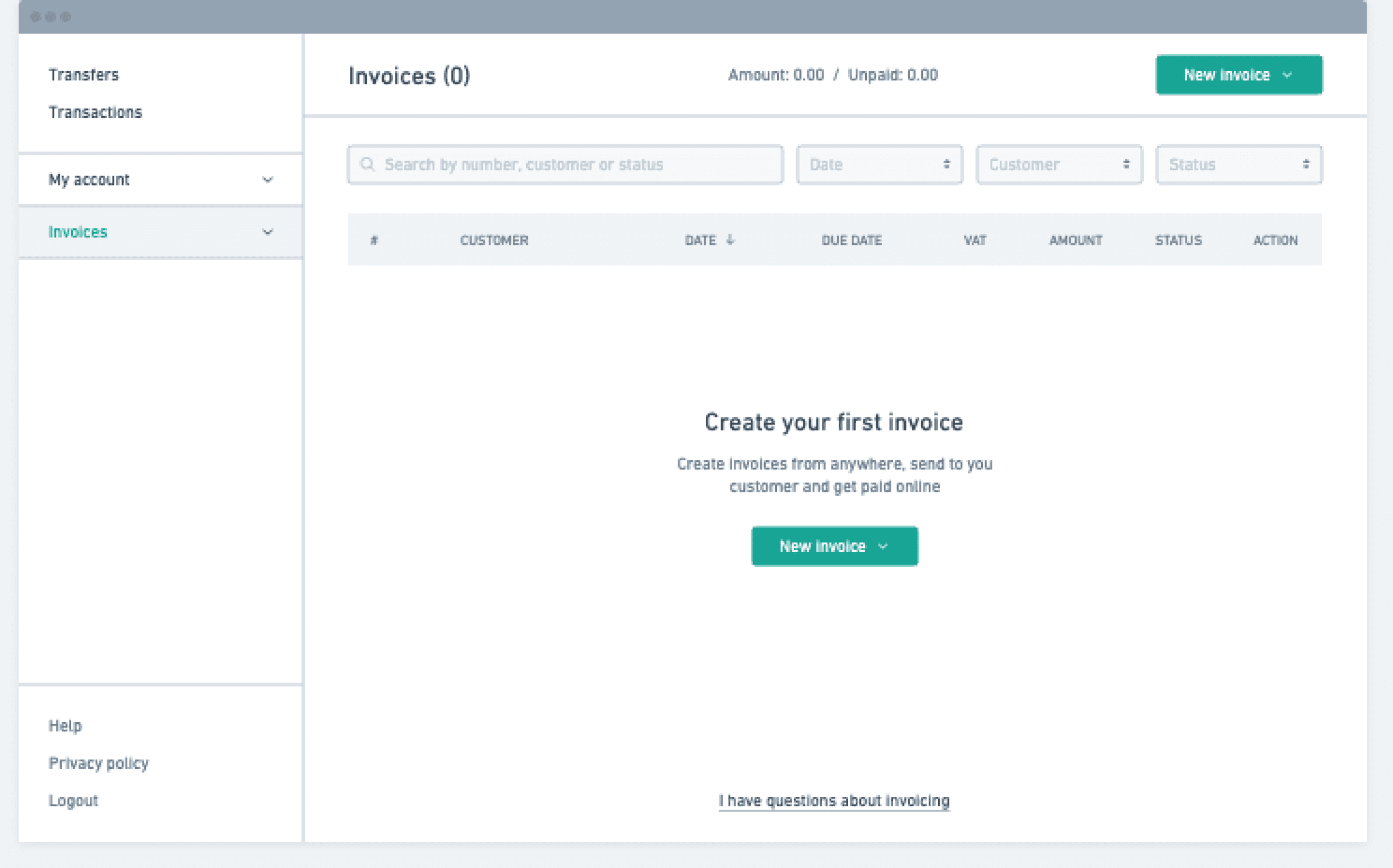
At the lo-fi level, wireframes were designed for creating a new invoice, displaying a list, editing an invoice, and the mobile view for both the list and invoice.
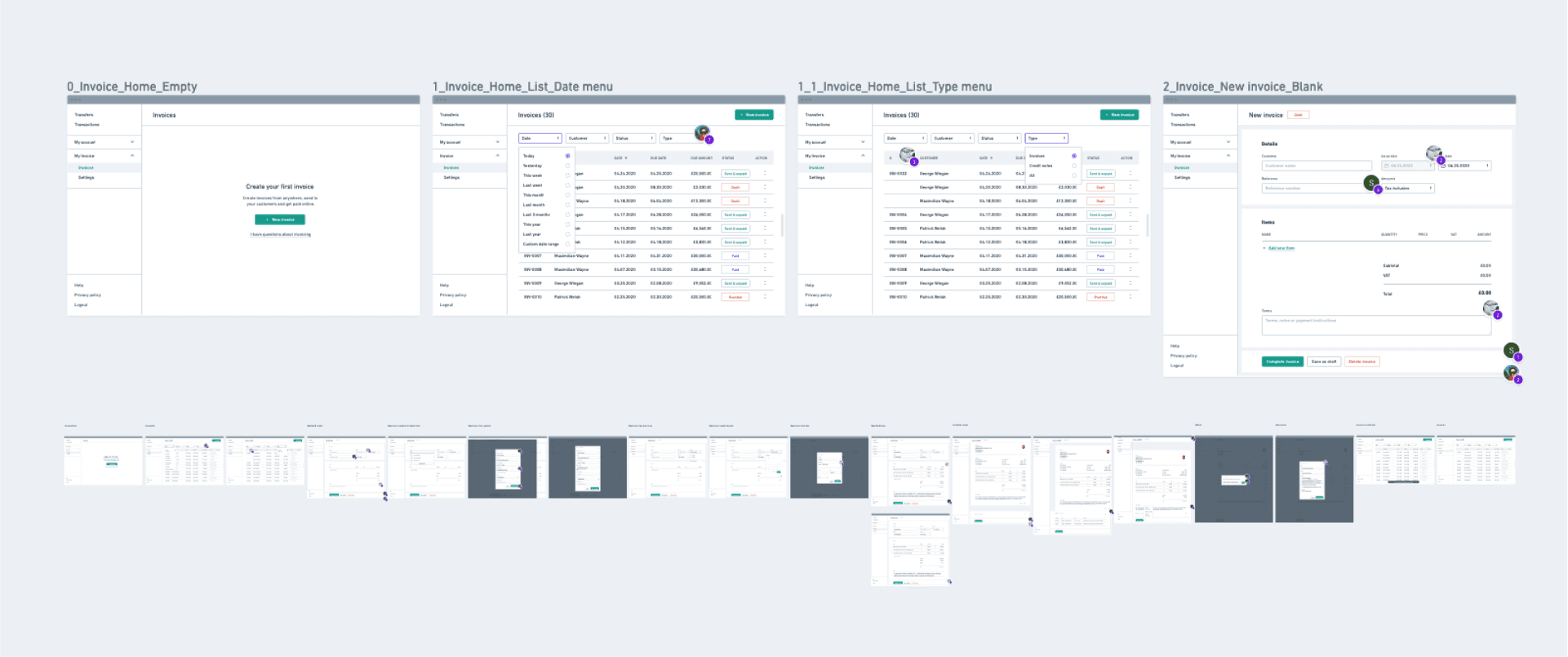
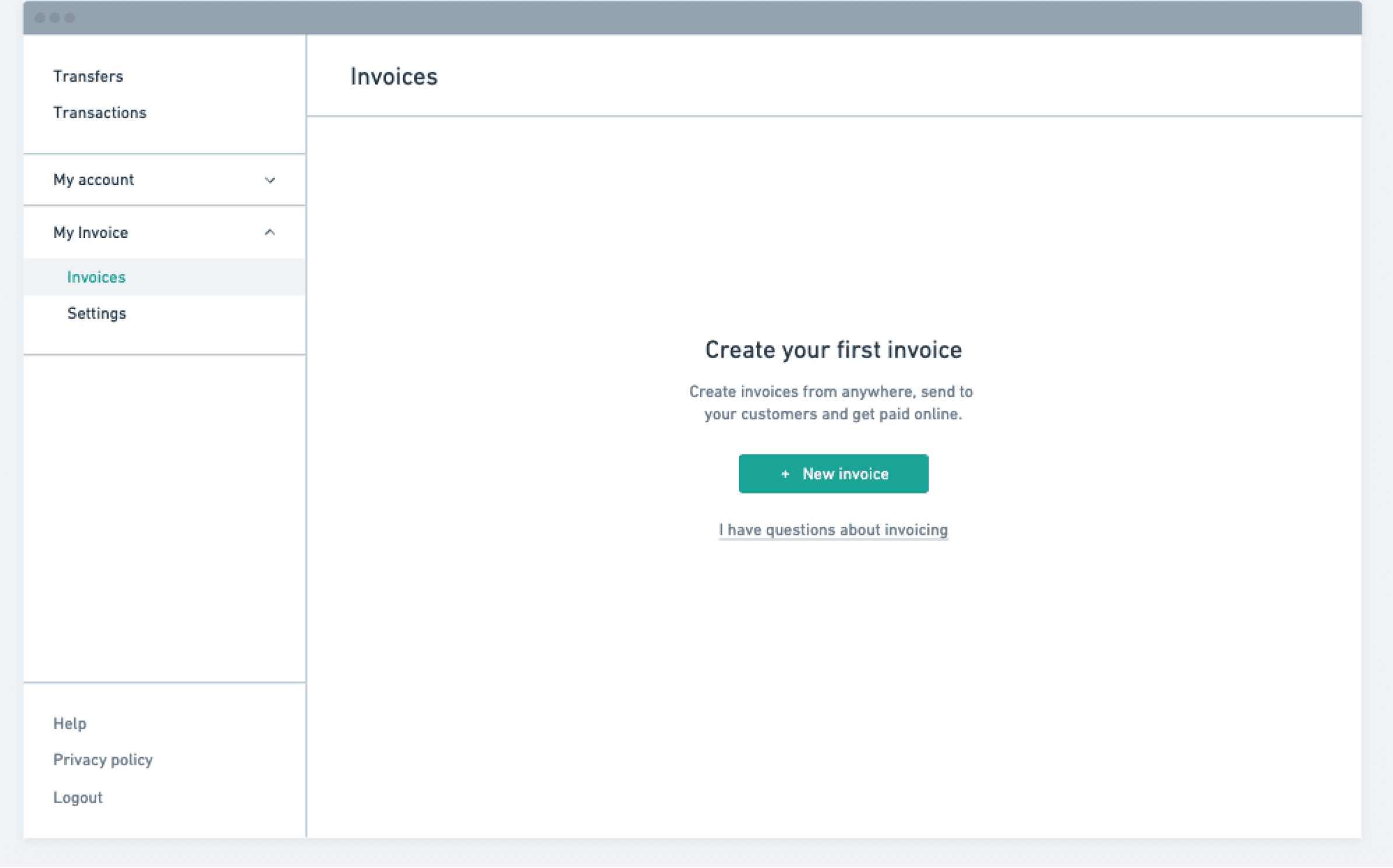
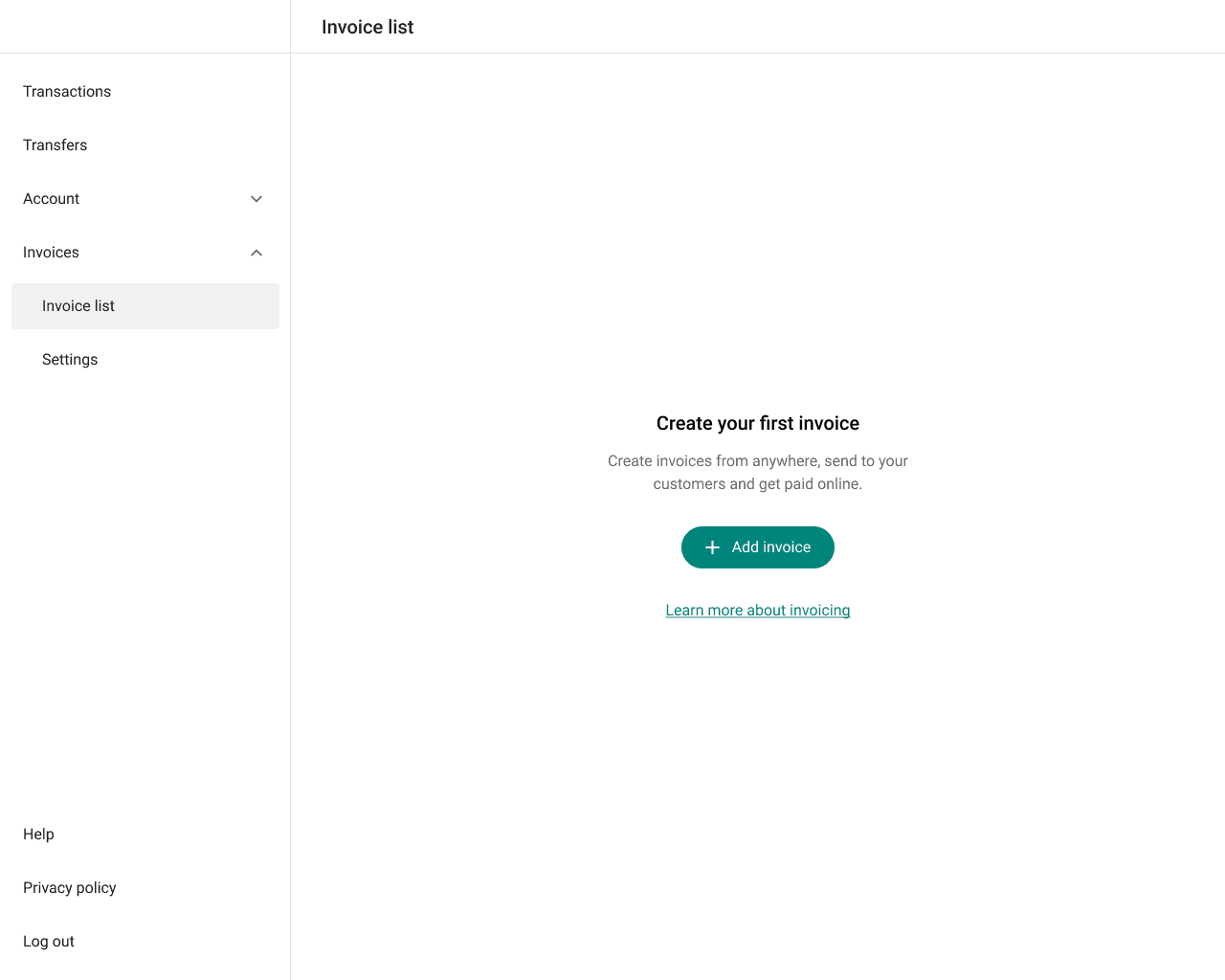
During the early wireframing stage, decisions were made about what to include on an empty page. The choice was between adding filters, table header, which would only appear when there are invoices present, or keeping it simple to highlight the primary action: 'Invoice creation'. We opted for simplicity to ensure the main action stands out.
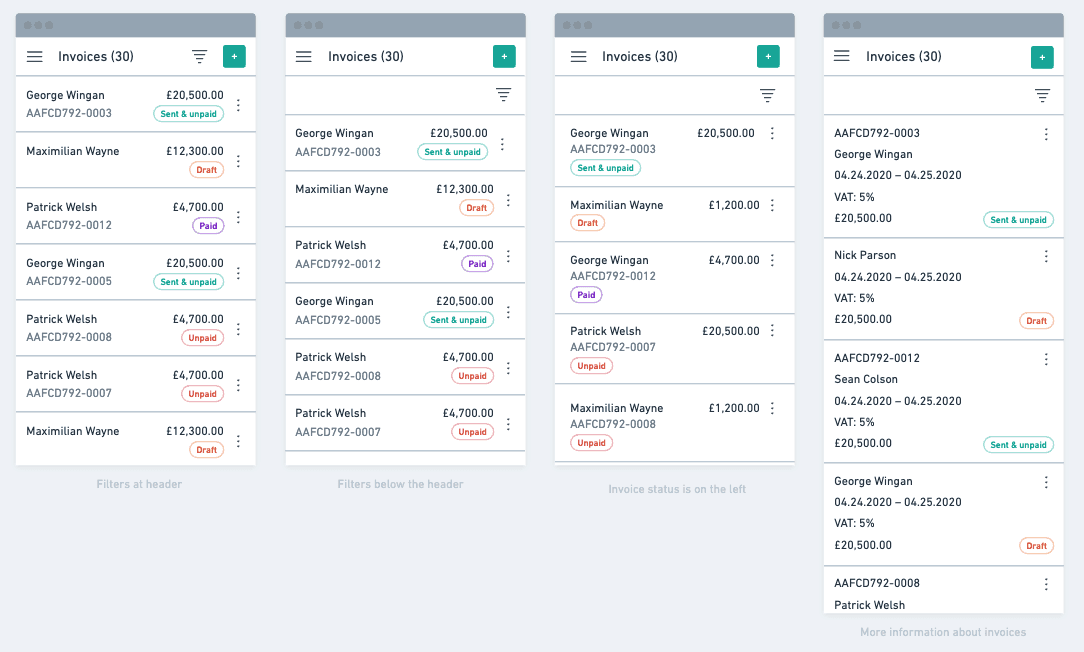
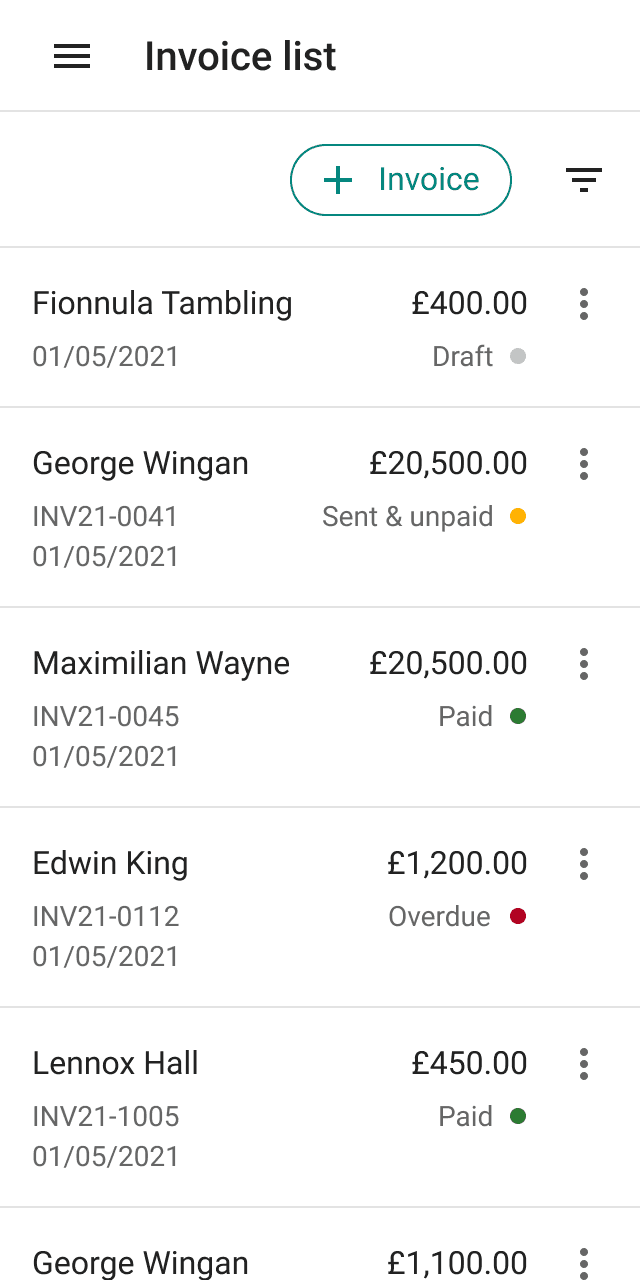
At the low-fi wireframes, the direction for the mobile version of the invoice list was also determined. Priority was given to a more compact version in terms of height. Both minimum and maximum values of each parameter were taken into account.
05. Hi-fi designs
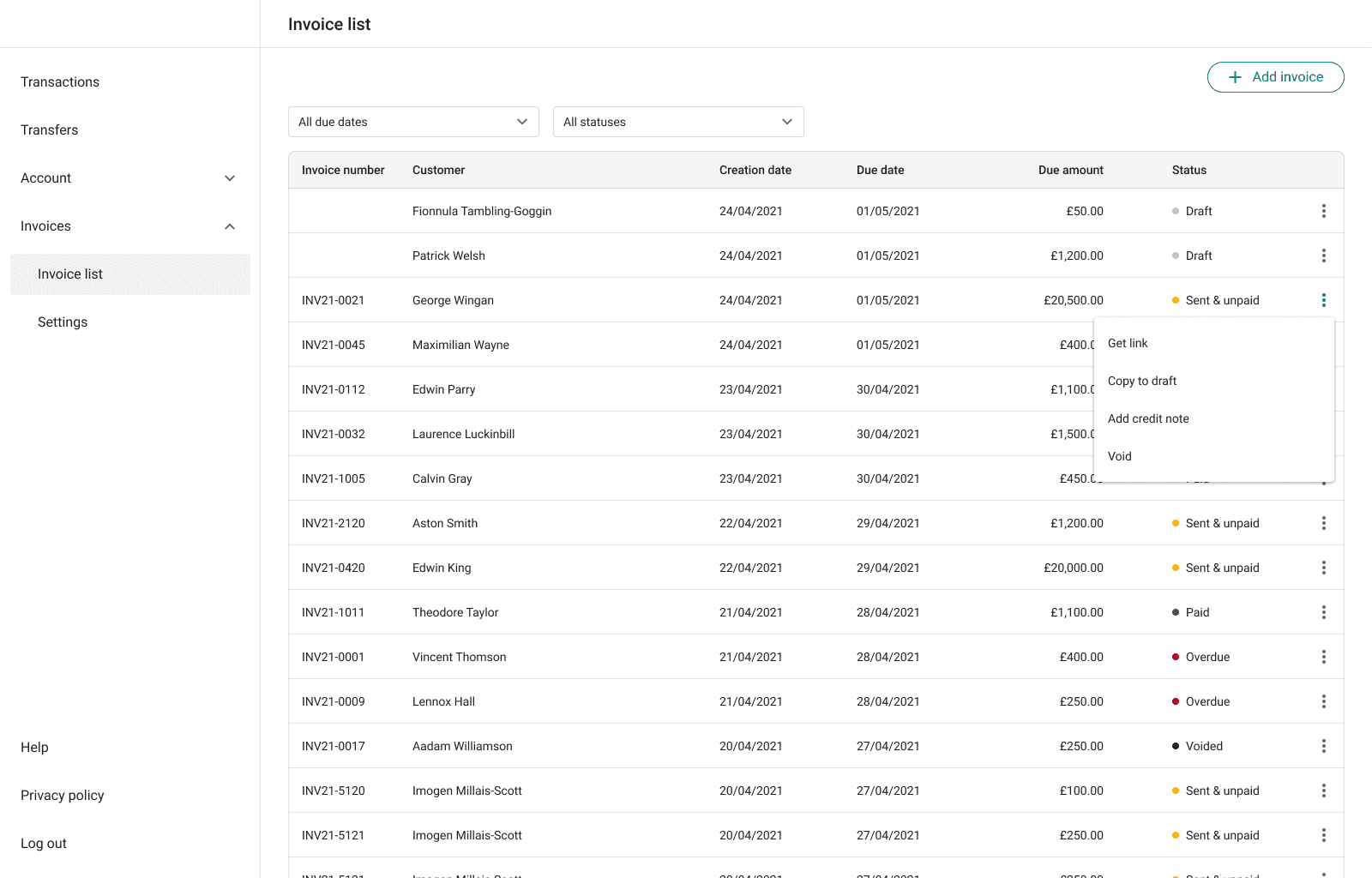
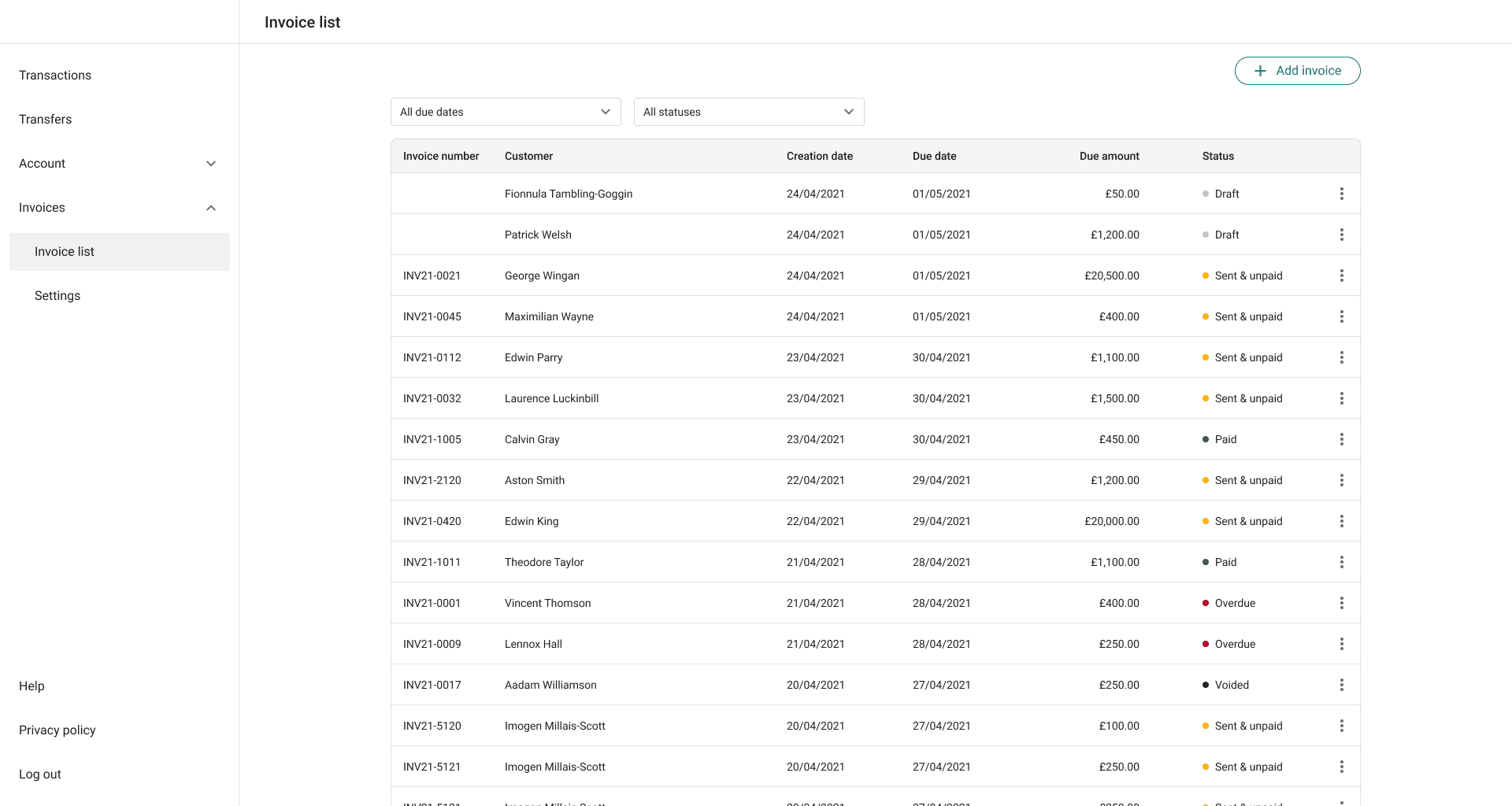
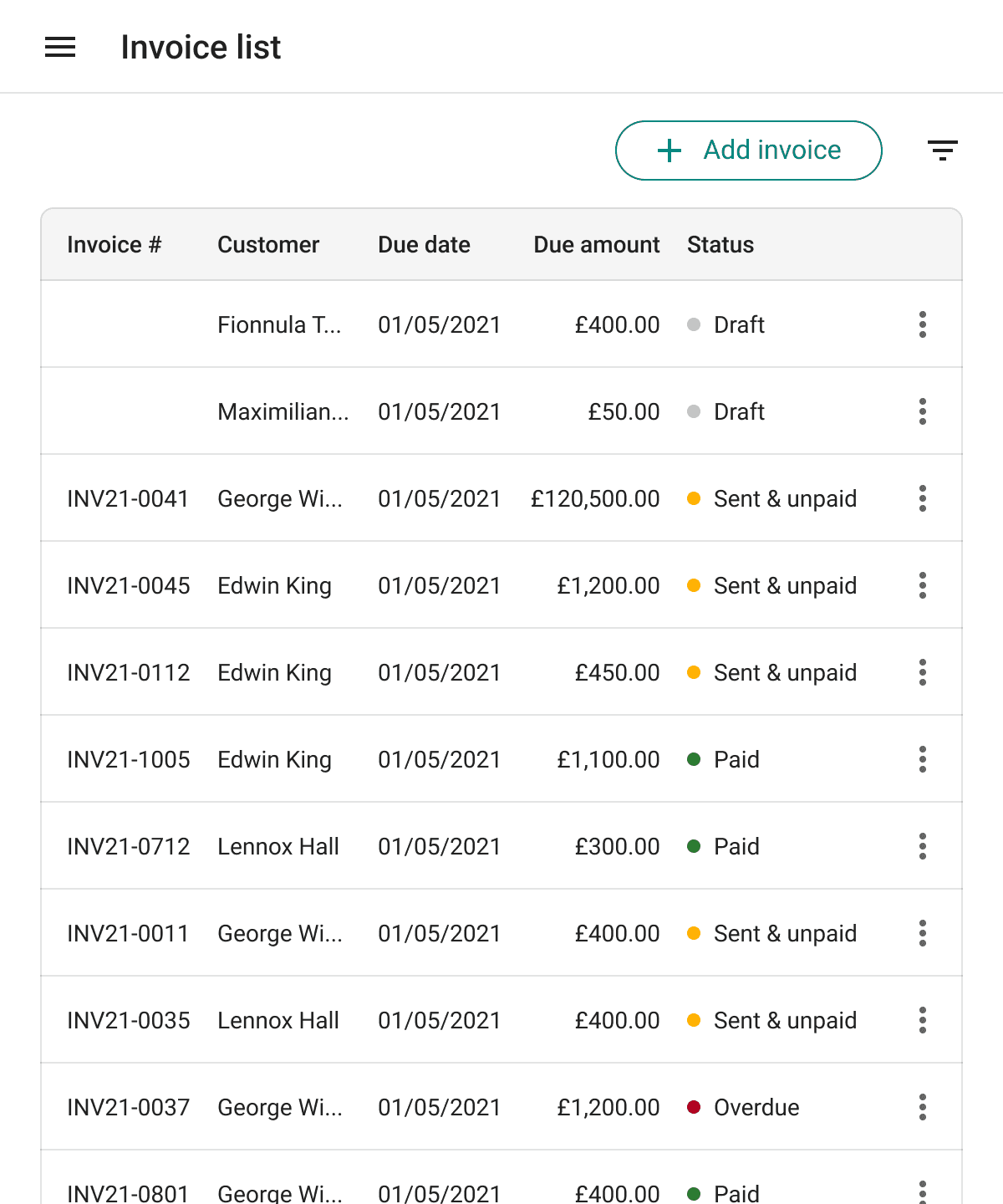
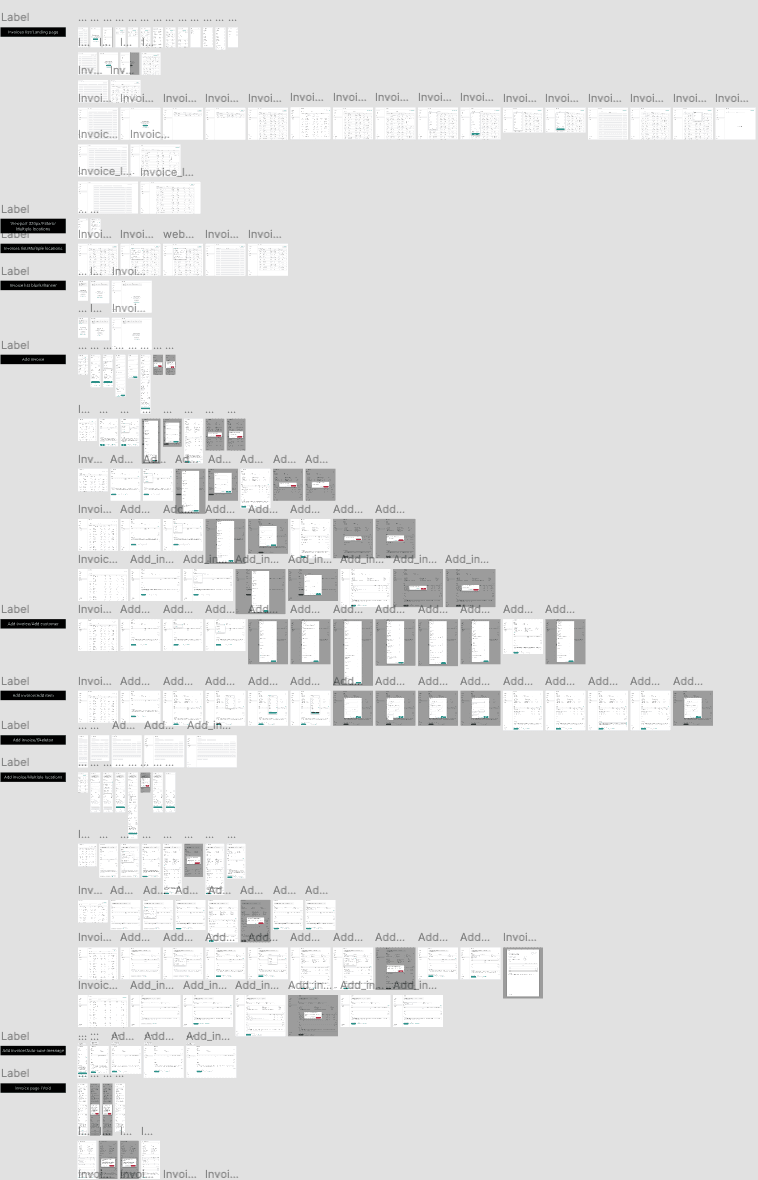
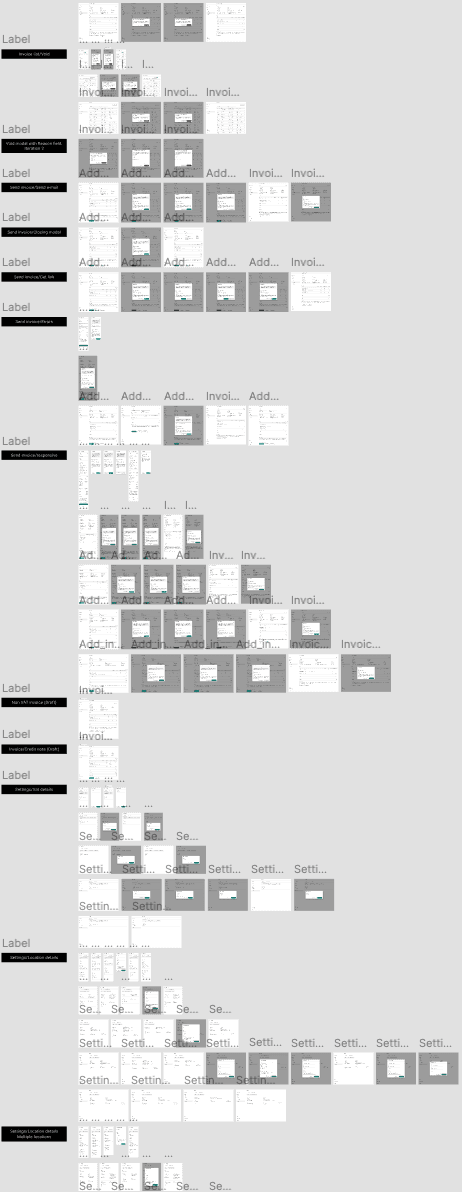
After approving the wireframes, Grigore proceeded to refine the details and design the hi-fi mocks in Figma. The main page for the Invoices section is the invoice list. On this page, the user can view all invoices and create a new one.
Challenge
To display the list of invoices in the correct order, provide the ability to filter the list, and apply actions to each invoice without navigating to its individual page.
Solution
By default, Draft status invoices are displayed at the top of the list, reminding the user of unfinished invoices. Subsequently, invoices are sorted by date. The filters are designed in the style of the main application, allowing the user to filter by the 'due date' and 'status' parameters. The context menu per row enables performing identical actions on invoices as within the invoice page, thereby accelerating user actions.
For a new user, a ‘Add Invoice’ button is displayed in the center of the screen with a link to additional information about invoicing.
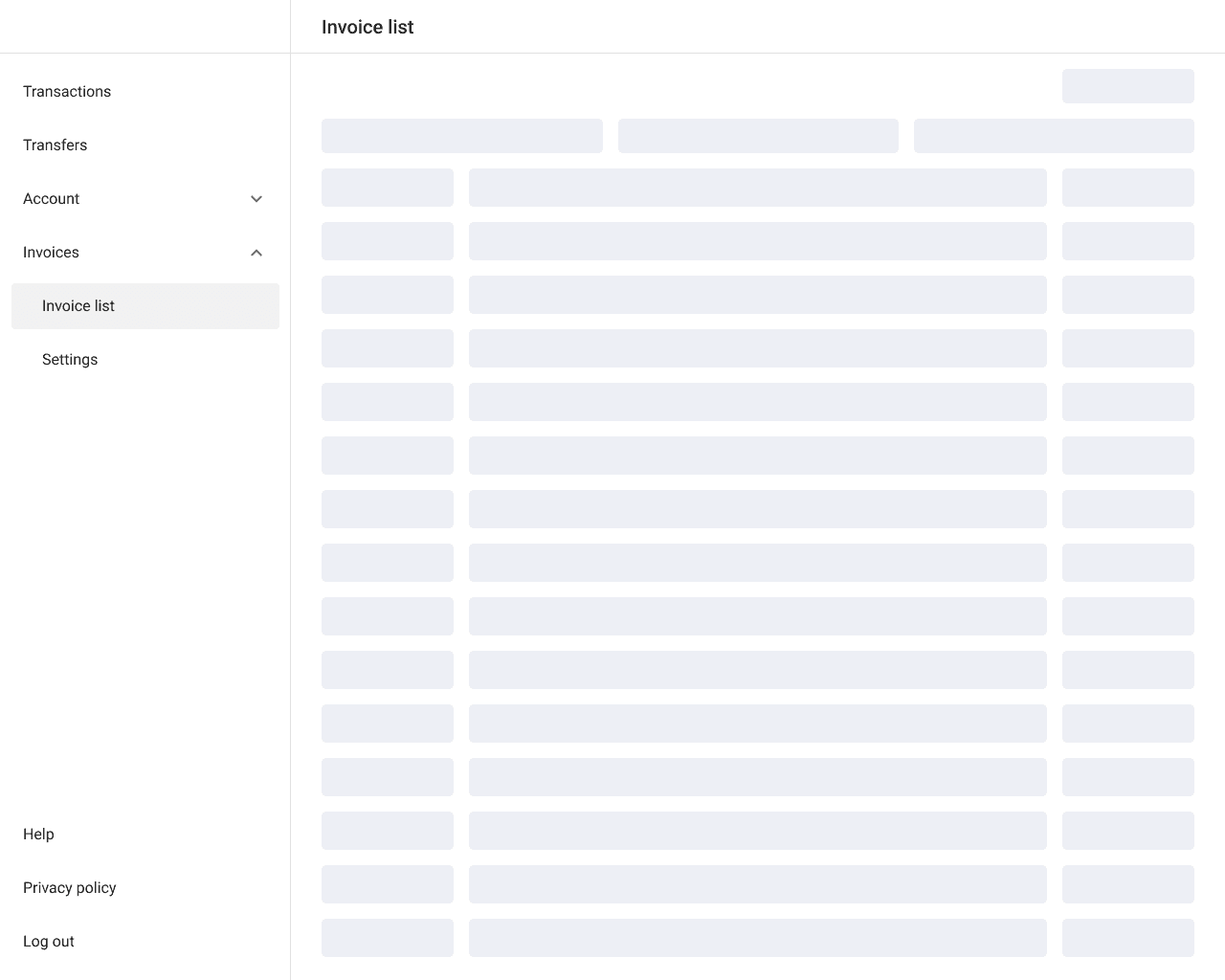
To show the loading stage of the page, it was decided to use a skeleton that provides an idea of the upcoming content and makes the transition smooth.
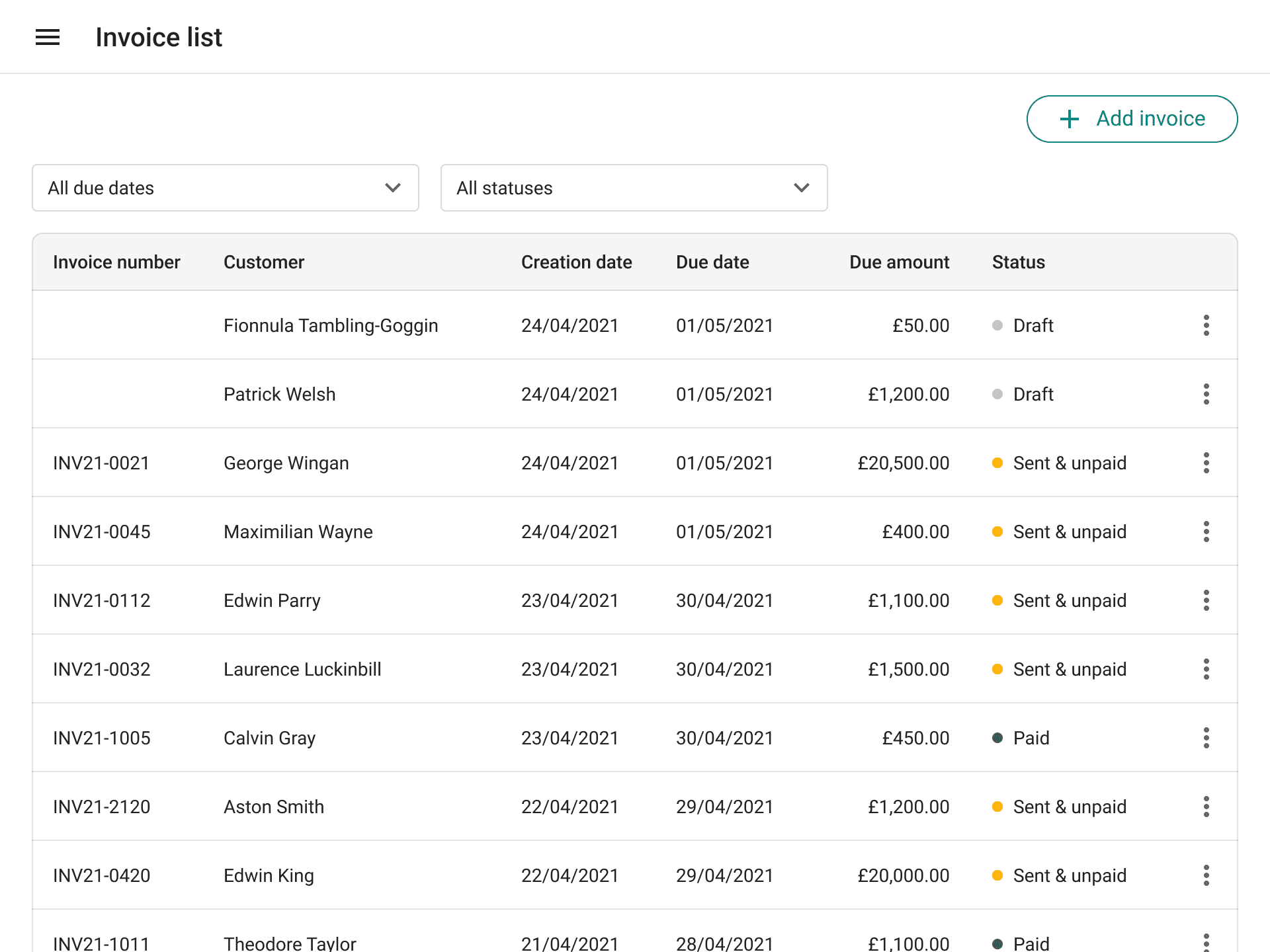
The responsive design was carefully considered for each screen, including versions for mobile, tablet, and high-resolution desktop devices. Consideration was given to both fixed and flexible column layouts, as well as optimal gutter and margin width for each size.
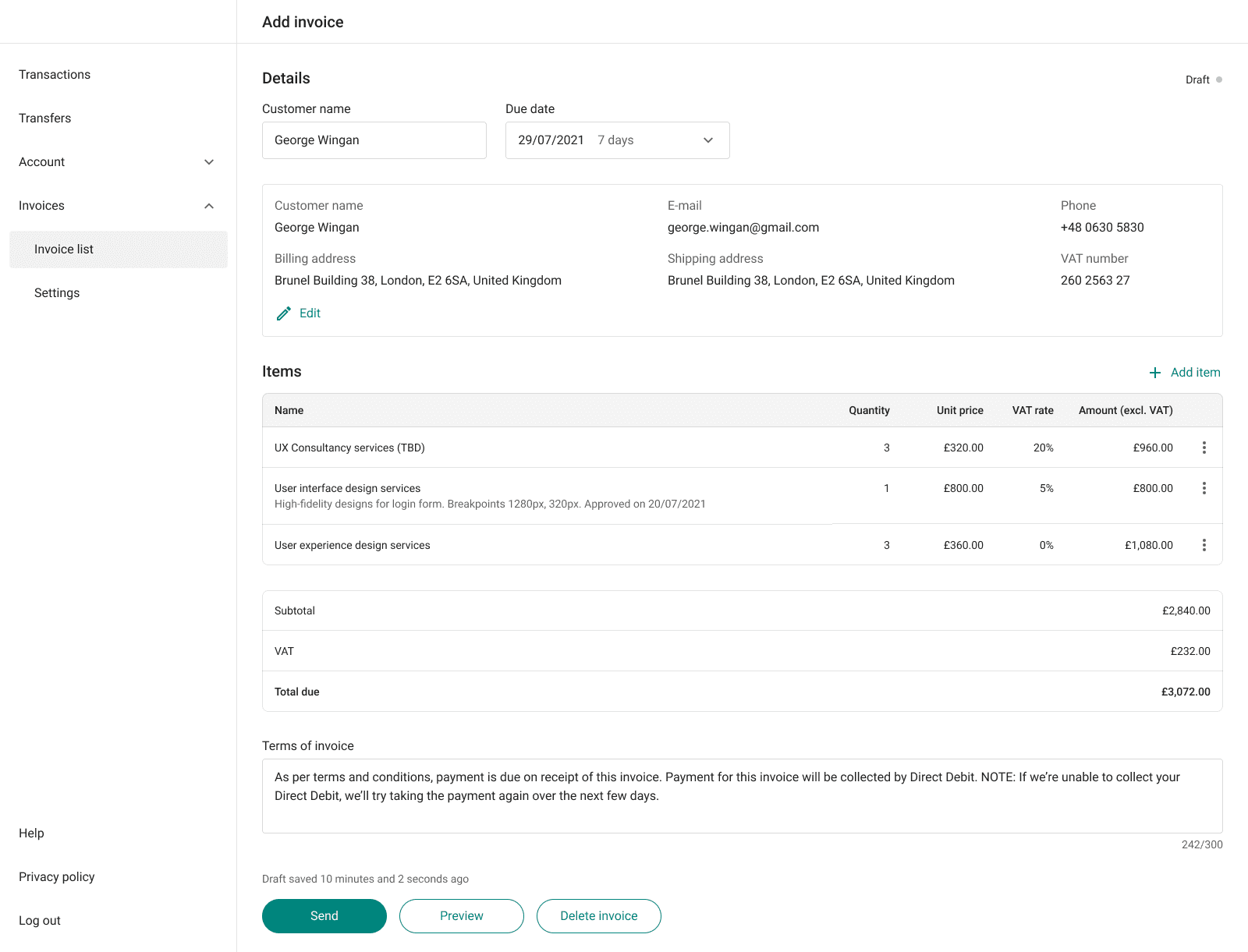
The ‘Add invoice’ page contains details of the transaction between the seller and the buyer. The invoice is issued by the seller and sent to the buyer along with the delivery of goods or services.
Challenge
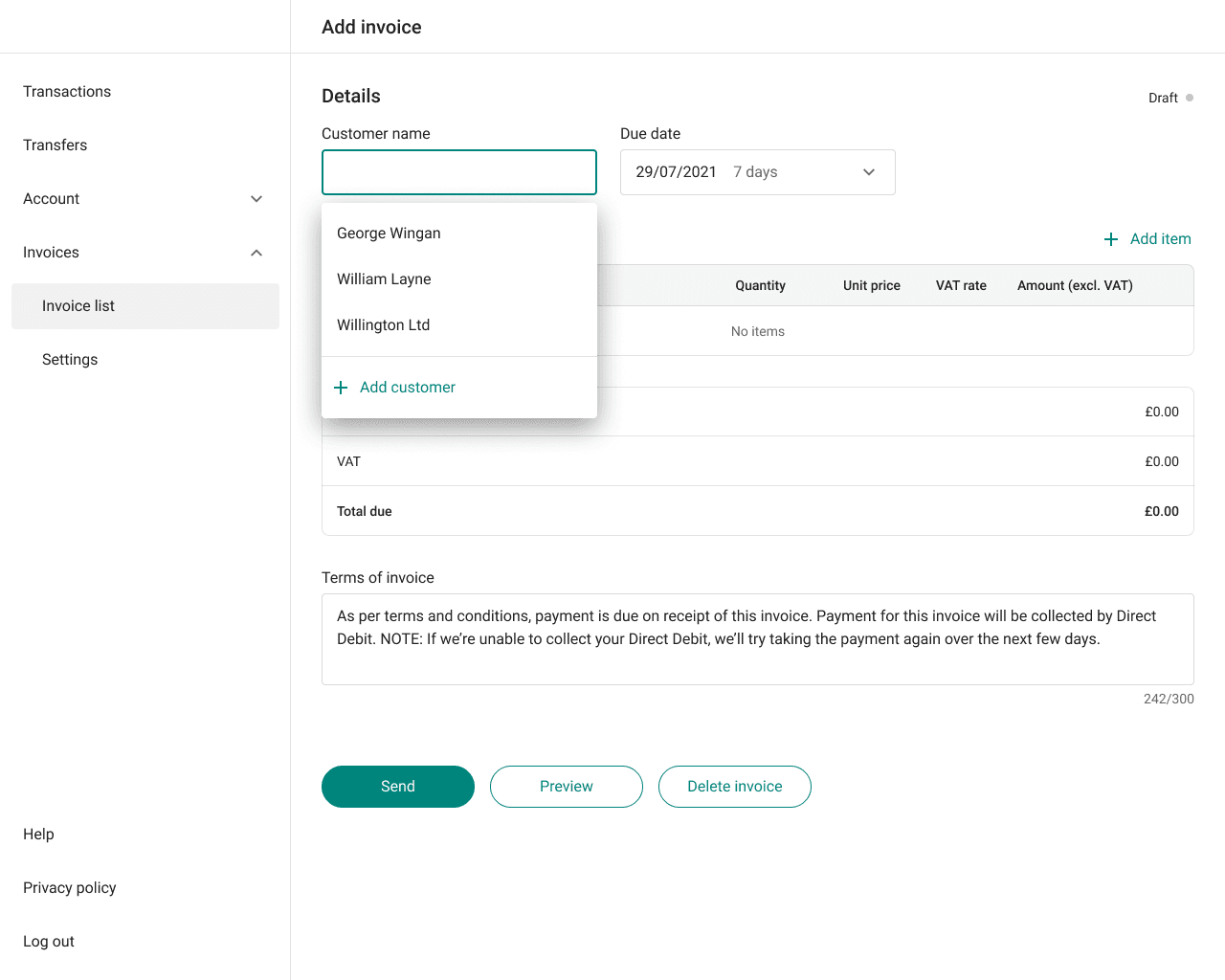
Provide the option to choose a customer name from the list or add a new one. Allow users to set a due date, add items, and include Terms of Invoice for the customer.
Solution
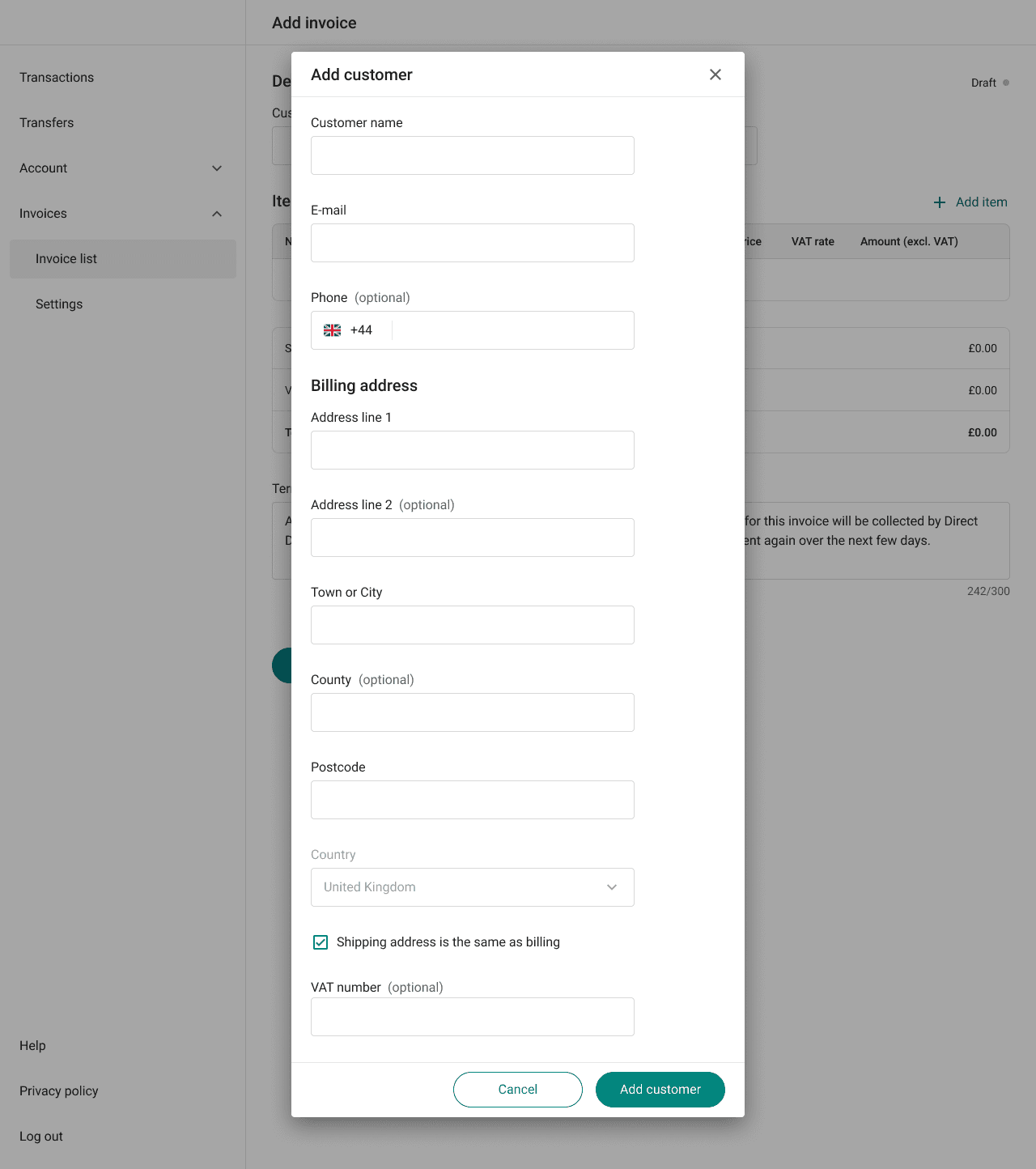
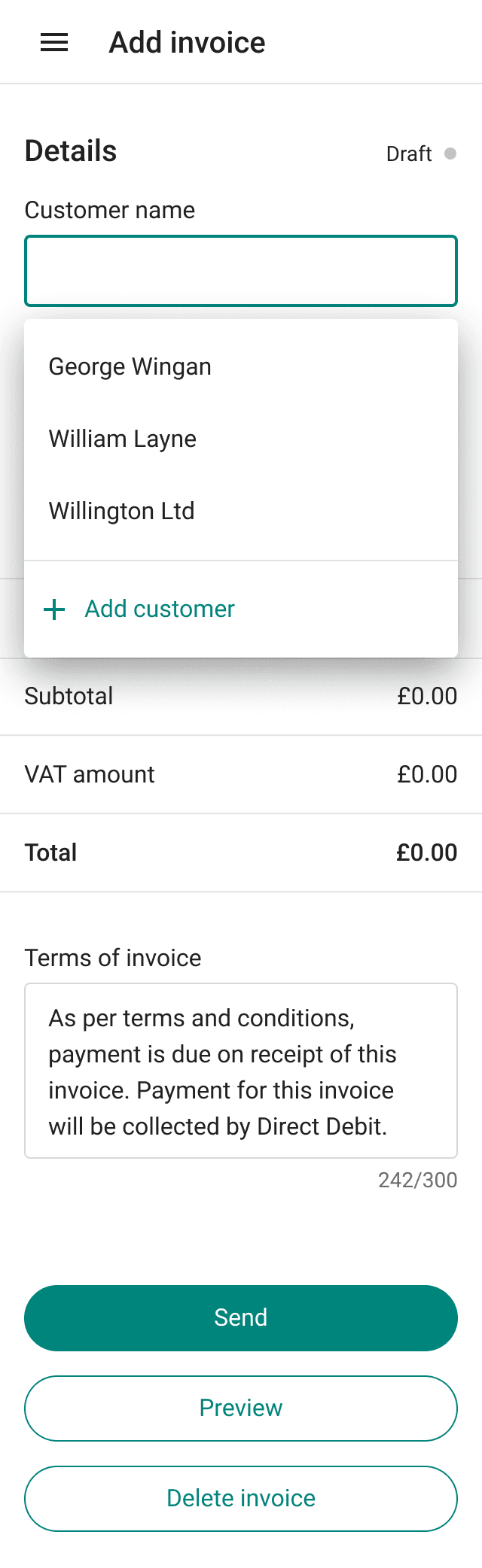
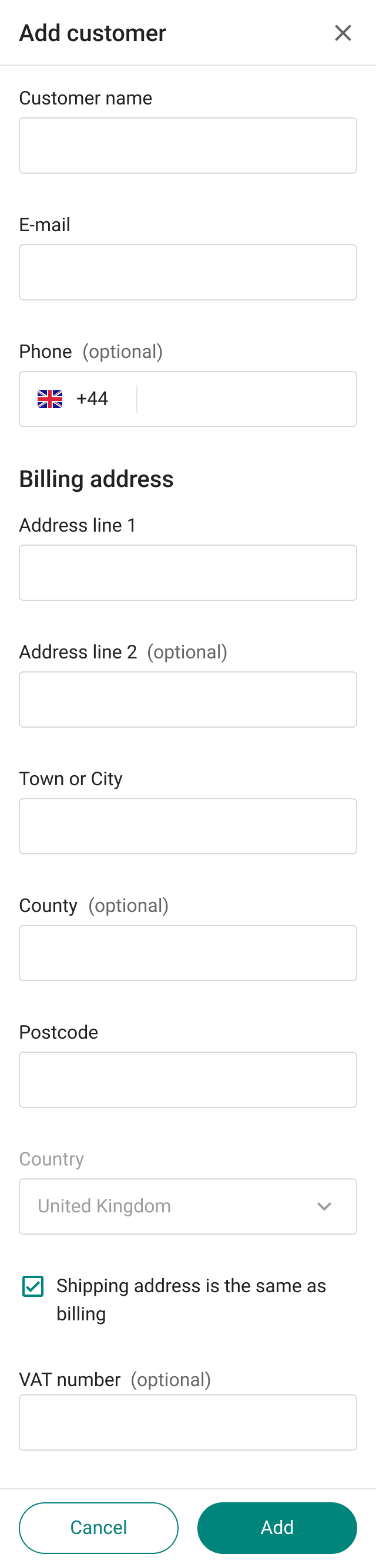
Used customer names are displayed in the dropdown menu of the Customer name field, with the Add customer option at the bottom of the list. It was crucial to show user data, so after selecting or creating a new customer, their details are displayed on the page. Users can choose default Due date or set a custom date. Following this, they can add items and specify the terms of the invoice.
After analyzing competitors and streamlining the interface by reducing the number of buttons, the decision was made to incorporate an auto-save feature, ensuring that user actions on the page trigger automatic saving.
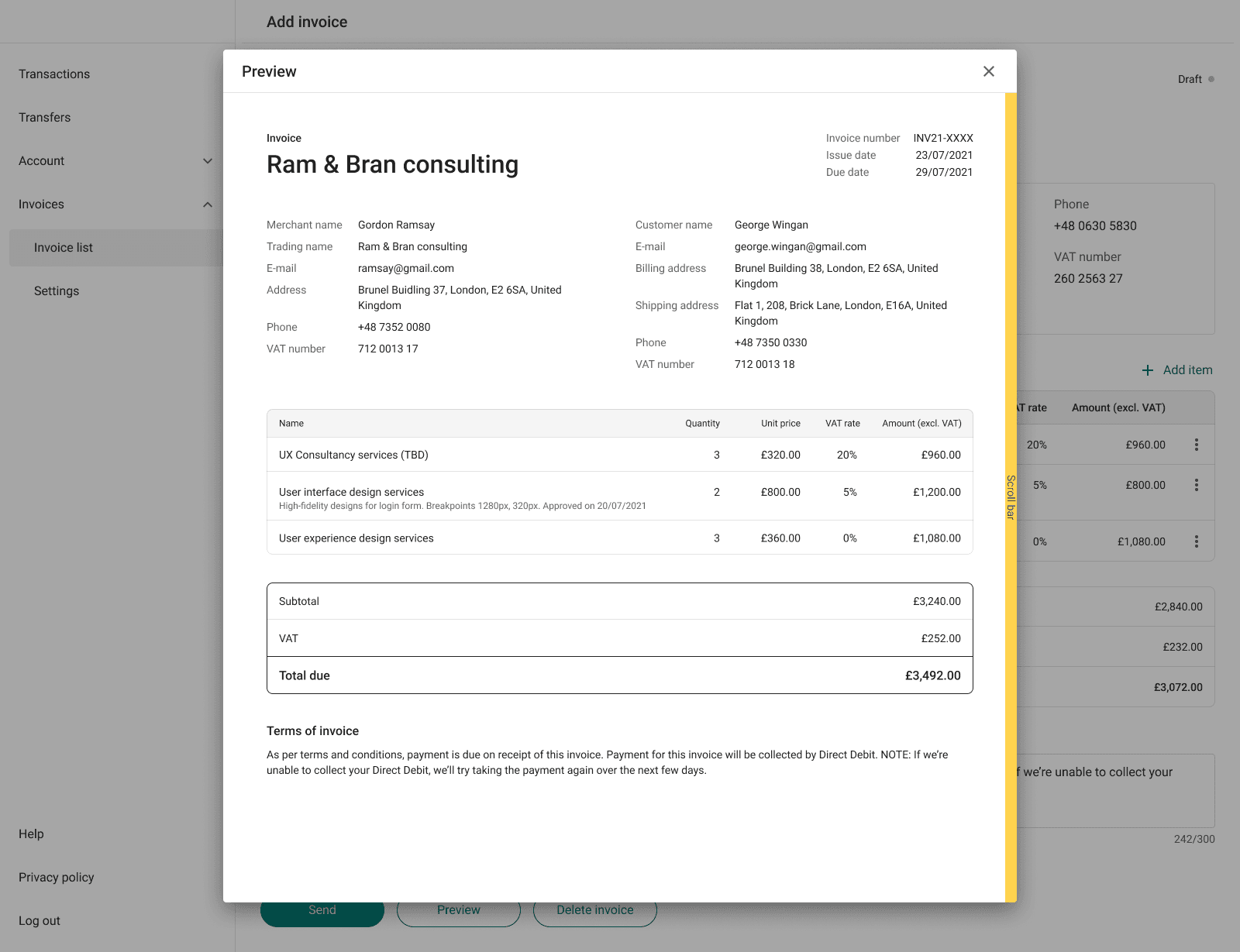
For Preview It was decided to display the invoice in the format that the user sees it in a PDF or printed form. Therefore, for mobile devices, it isn’t adapted but proportionally resized. To design this screen, it was first necessary to create a template for the invoice, but I will tell you a bit more about that below.
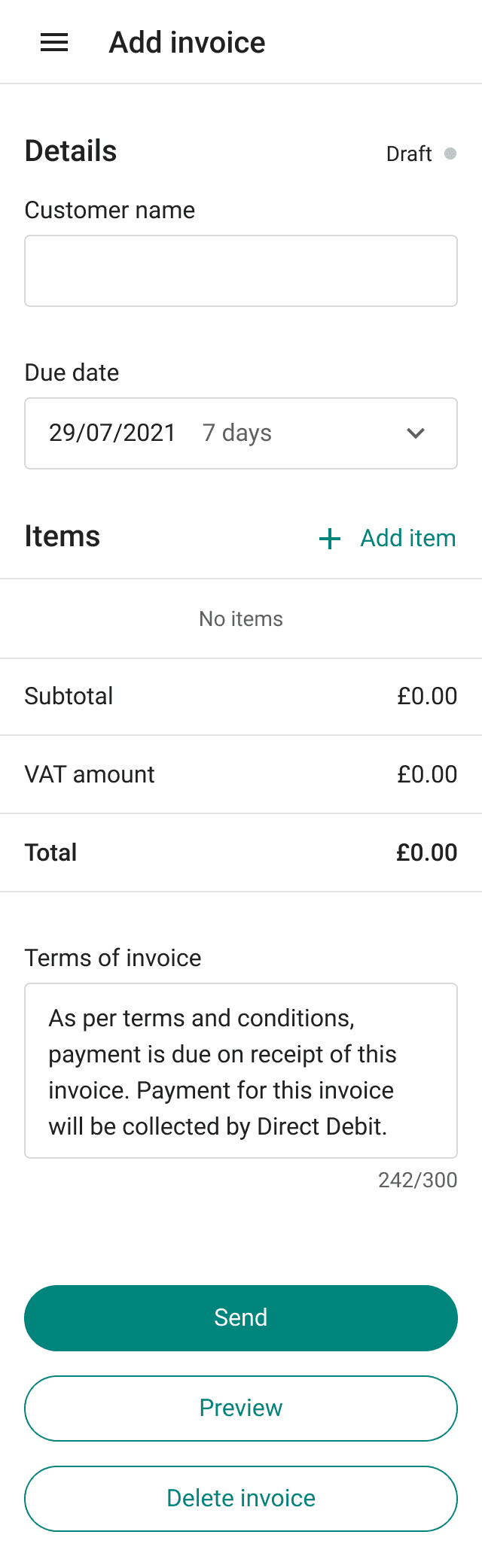
The invoice page, like others, is well adapted for the smallest screen size of a mobile device without compromising main functionality.

06. PDF invoice templates
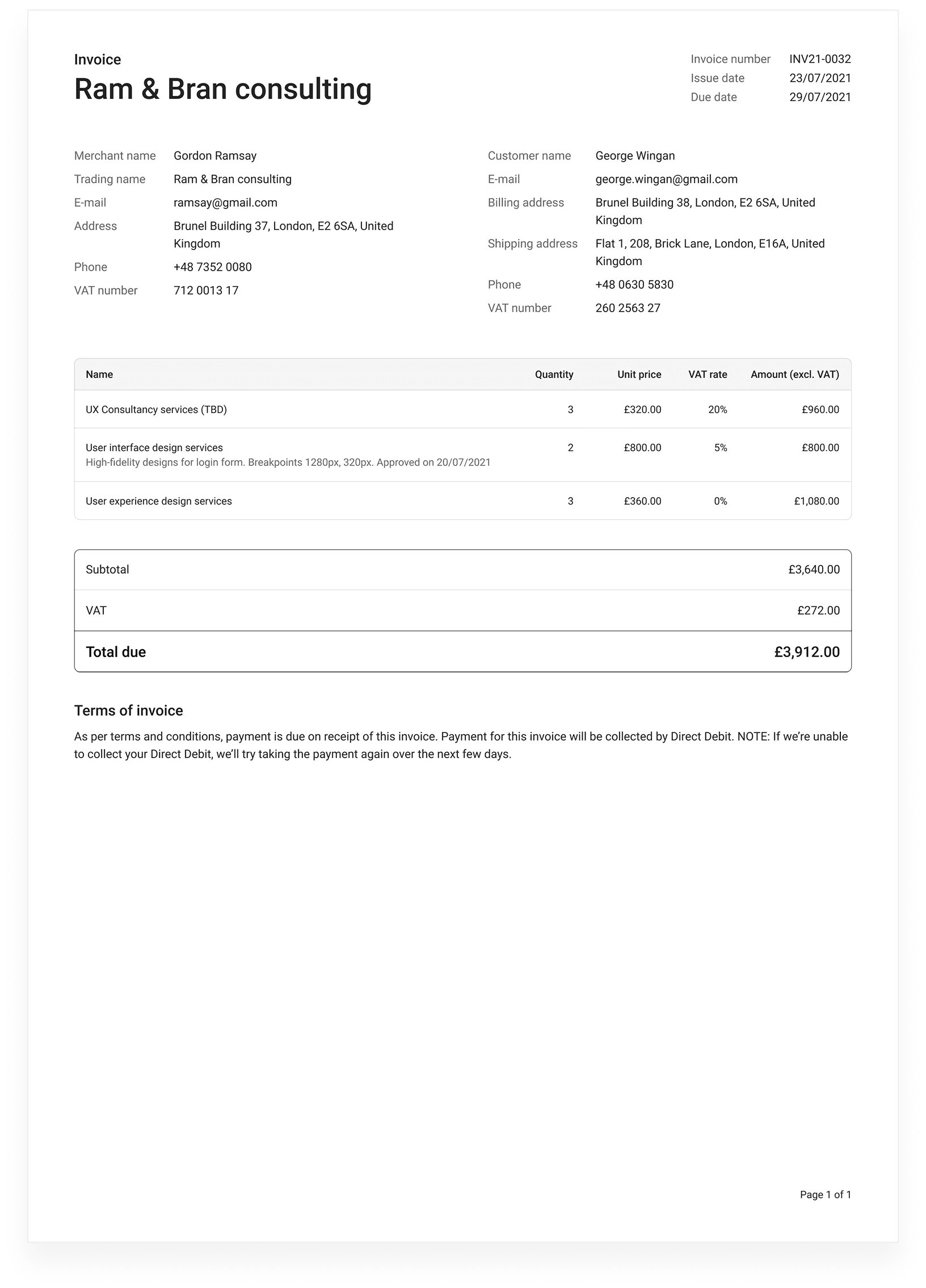
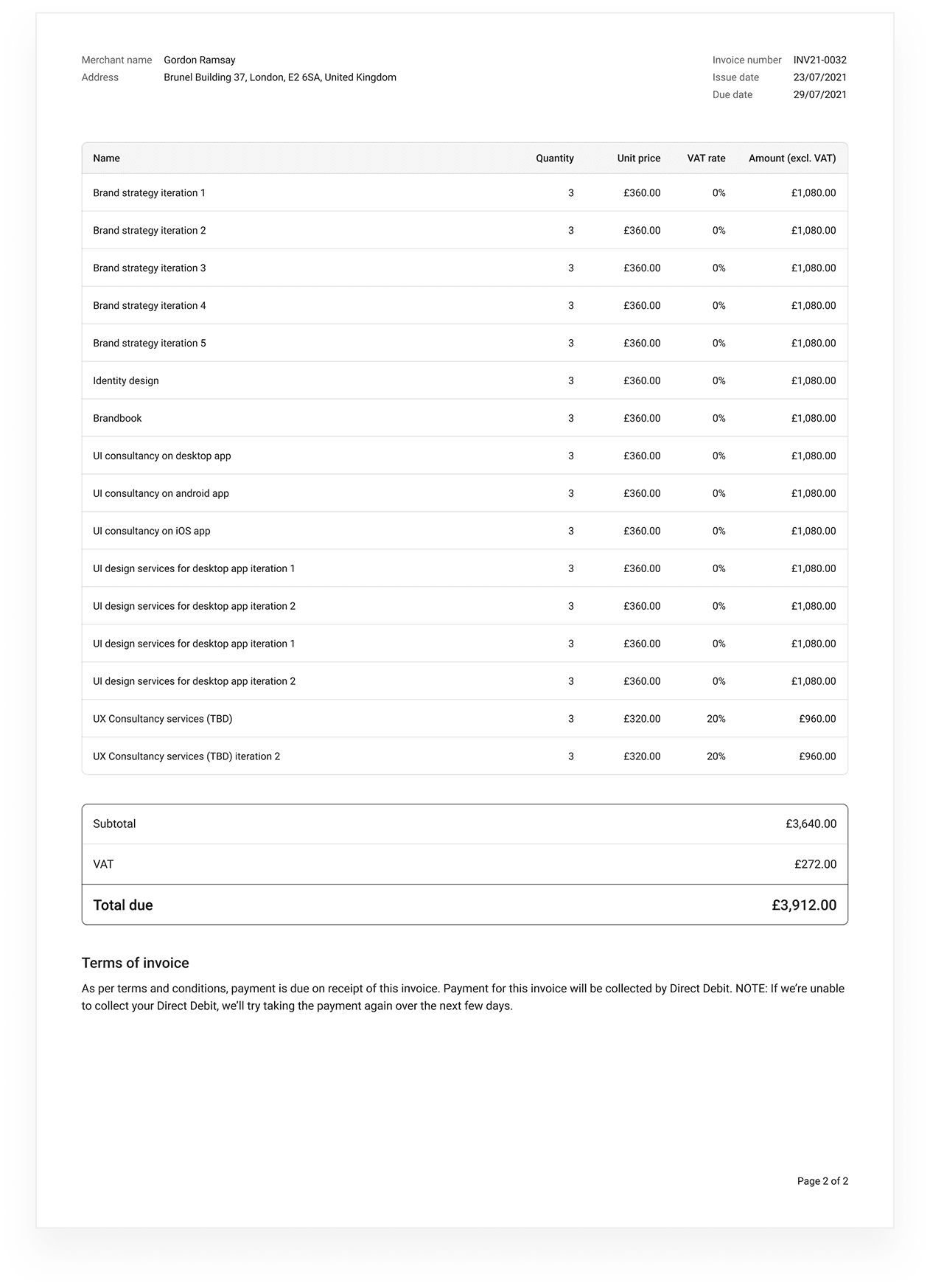
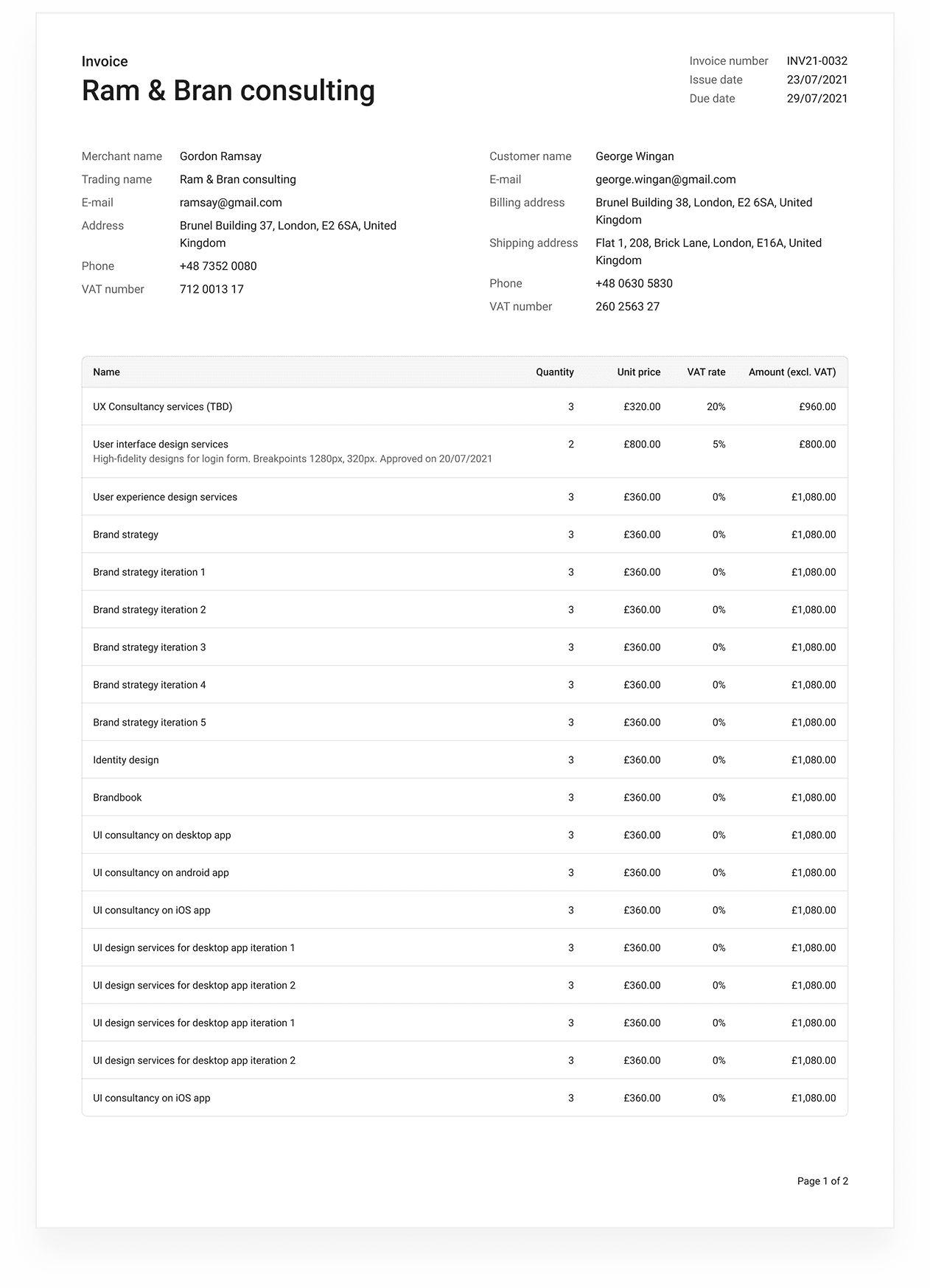
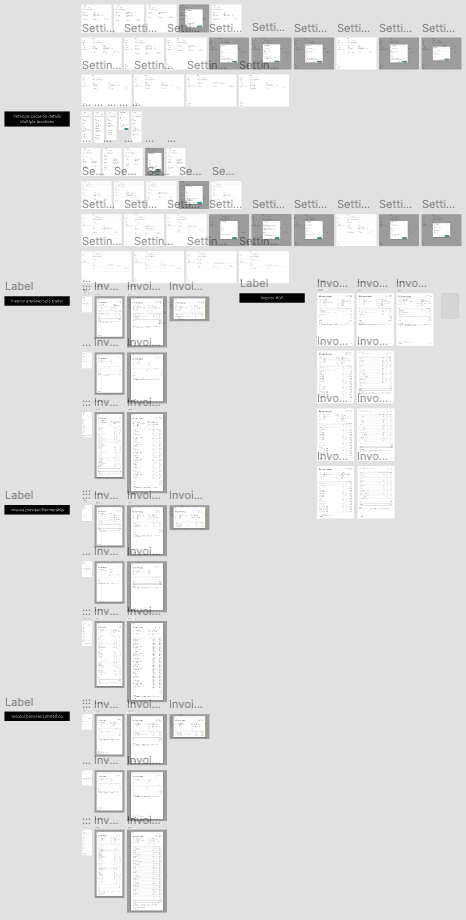
The invoice template was designed to accommodate various types of companies: solo trader, partnership, limited company, taking into account different quantities of items and, consequently, the length of the invoice.
Multiple page version of the invoice.
Back